
A slow eSIM does not always mean something is broken. In Vietnam, poor speed often comes from a small setup issue, temporary congestion, data throttling after high-speed usage, or simply being in an area where the network is weaker than expected.
The good news is that most of these problems are easier to fix than travelers think. Before assuming the eSIM has failed, it is better to check a few basics in the right order.
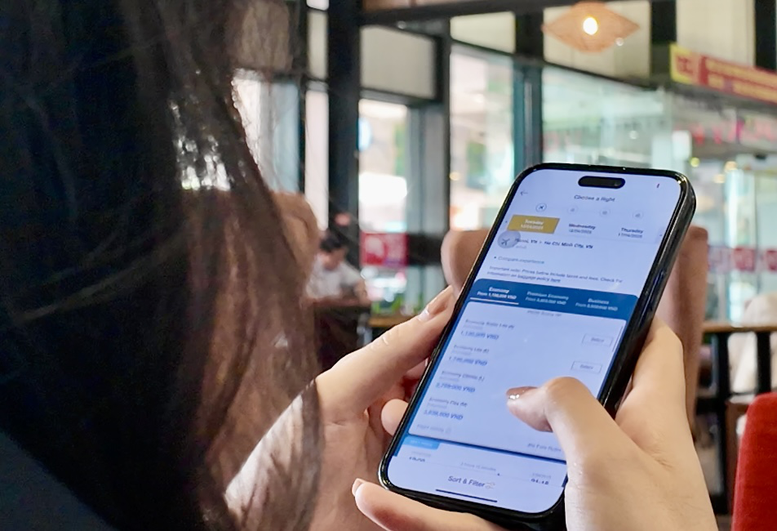
Why your eSIM may feel slow in Vietnam
There is usually more than one possible cause behind a slow connection. In many cases, the eSIM is active, but the phone is not using the best settings for the local network.
- The wrong mobile data line is selected
- Data roaming is turned off for the travel eSIM when the plan requires it
- APN settings are missing or incorrect
- You have already used the plan’s high-speed allowance for the day
- The area is temporarily congested or has weaker coverage
- The phone needs a restart or manual network re-selection
The easiest way to troubleshoot slow speed is to start with the simplest checks first instead of changing too many settings at once.
1. Check that the correct eSIM line is selected for mobile data
On dual SIM phones, this is one of the most common problems. The eSIM may be installed correctly, but the phone may still be using another line for mobile data.
Open your cellular settings and confirm that the Vietnam eSIM is selected as the active line for data. If you use two lines on one phone, also make sure the device is not switching back to your home SIM automatically.
2. Make sure data roaming is turned on if your plan requires it
Some travel eSIM plans need data roaming enabled even when they work on a local network partner. Travelers often turn roaming off by habit, then assume the eSIM is slow or unstable when it never connects properly in the first place.
If your plan instructions say roaming must stay on, keep it enabled for that eSIM line and test again.
3. Recheck the APN settings carefully
APN issues are one of the most common reasons mobile data feels unusually slow or fails to load properly. If your eSIM provider has given you a required APN, compare it carefully with what is currently saved on the phone.
If the APN is missing, incomplete, or entered incorrectly, the connection may still work, but performance can feel inconsistent. After correcting the APN, restart the phone and test the connection again.
If you need help with setup, it is usually better to follow the installation instructions that came with your plan rather than guessing or copying settings from another provider.
4. Restart the phone after changing settings
This sounds basic, but it often helps more than travelers expect. After changing APN settings, enabling roaming, or switching the active data line, restart the phone once and let it reconnect cleanly.
Many connection issues continue simply because the device has not reattached to the network properly after a setting change.
5. Check whether you have reached your high-speed limit
Some Vietnam eSIM plans include a daily high-speed allowance rather than uncapped full-speed data all day. After that limit is used, the connection may still work, but speeds can feel much slower.
If your data was working well earlier and becomes noticeably slower later in the day, this is one of the first things to check. In that case, the issue may not be the setup at all. It may simply be the plan’s speed policy for the rest of the day.
6. Test the connection in another area
Not every slow connection is a settings problem. Some areas are simply more congested than others, especially in busy city districts, transport hubs, or tourist zones. A network that feels slow in one spot may perform much better a short distance away.
If possible, test the eSIM again after moving to another location or waiting a little while. This helps you separate a local congestion issue from a device or setup problem.
7. Manually reselect the network if your plan allows it
In some cases, letting the phone choose the network automatically does not give the best result. If your eSIM plan supports more than one partner network, manual network selection can sometimes improve stability or speed.
Do this carefully and only if your provider’s instructions allow it. If the plan is locked to one network, forcing the wrong selection may leave you with no service at all.
8. Turn off VPN or hotspot sharing for a moment
VPN use and constant hotspot sharing can make a normal connection feel slower than it really is. This is especially noticeable when the signal is already average or when the network is busy.
If your eSIM feels slow, test it briefly without VPN and without tethering to see whether normal browsing improves.
When to contact support
If you have already checked the data line, roaming, APN, restart, and local conditions, and the connection is still unusably slow, then it makes sense to contact support. The most helpful message is a simple one: your phone model, current location, screenshots of the cellular settings, and a short description of what is happening.
This makes it much easier to confirm whether the issue is plan-specific, device-specific, or related to local network conditions.
Most slow eSIM issues can be fixed with a few basic checks
In Vietnam, a slow eSIM is often caused by one of a few practical issues: the wrong data line, missing APN settings, roaming turned off, daily speed limits, or local congestion. That does not always mean the eSIM itself is faulty.
The fastest way to solve the problem is to check those basics in order and avoid changing too many things at once. In many cases, one small adjustment is enough to get the connection working normally again.
If you are setting up before the trip, choosing the right Vietnam eSIM for your trip can help you avoid many of these issues from the start.