
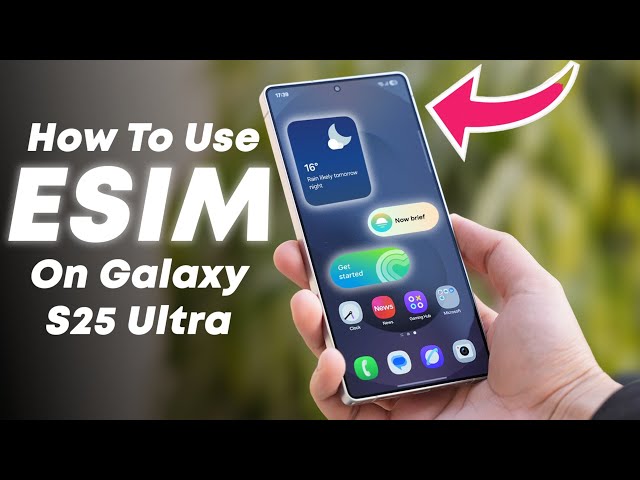
Galaxy S25 Dual SIM: How It Works, eSIM Setup, and Vietnam Travel Tips
If you’re using a Galaxy S25 and want to run two lines at the same time (or mix a home SIM with a Vietnam data plan), “dual SIM” can mean a few different things depending on your model and region. This guide breaks down the options in plain language, shows how to set things up, and helps you avoid the common “why isn’t it working?” moments before you land in Vietnam.
What “dual SIM” means on Galaxy S25
On the Galaxy S25, dual SIM is usually one of these setups:
- 1 physical SIM + 1 eSIM (most common)
- 2 eSIM profiles stored (you can store multiple profiles; how many you can actively use at once depends on region/model)
- 2 physical SIM slots (less common and depends on variant)
So if you bought your phone in a different country, your “dual SIM” experience can be slightly different from someone else’s—even though the phone name is the same.
Best dual-SIM setup for Vietnam travel
For most travelers, the smoothest setup is:
- Keep your home SIM active for calls/verification (as needed)
- Add a Vietnam eSIM for data so you’re online right after landing
This way you can use maps, messaging apps, ride-hailing, and browsing without swapping tiny SIM cards or hunting for a shop.
Before you buy anything: quick compatibility checklist
- eSIM supported: Your Galaxy S25 should show “Add eSIM” in settings.
- Not carrier-locked: A locked device may block adding a new eSIM or connecting properly.
- Updated software: Install the latest updates before you travel.
How to add a Vietnam eSIM on Galaxy S25
- Go to Settings → Connections
- Tap SIM manager
- Select Add eSIM
- Choose Scan QR code (or enter details manually if provided)
- Follow prompts to finish installation
Tip: Install your travel eSIM when you have stable Wi-Fi (home/hotel) so you don’t get interrupted mid-process.
How to use dual SIM smartly (and avoid extra charges)
Once both lines are on your Galaxy S25, you’ll typically choose:
- Default SIM for mobile data (set this to your Vietnam plan)
- Default SIM for calls/texts (keep your home SIM if you still need it)
Then double-check your roaming settings on the home SIM, so it doesn’t quietly use mobile data in the background.
Recommended settings for most travelers
- Set Mobile data to the Vietnam line
- Turn Data roaming OFF for your home SIM
- Keep the home SIM enabled for calls/SMS only if you really need it
Common Galaxy S25 dual SIM issues (and quick fixes)
1) “Add eSIM” doesn’t show up
- Check you’re using a region/model that supports eSIM
- Update software
- Restart the device
2) QR installs but there’s no signal in Vietnam
- Make sure the Vietnam line is selected for mobile data
- Toggle airplane mode on/off
- Try Network operators → Select automatically
3) Two lines installed, but calls/texts behave weirdly
- Set your default Calls and Messages SIM explicitly
- Rename each line (“Home” / “Vietnam”) so you never tap the wrong one
Vietnam connectivity tip: choose the plan based on your trip style
If your route is mostly big cities (Hanoi, Da Nang, Ho Chi Minh City), most travelers just want stable everyday data. If you’re heading into more remote or mountainous areas, network choice matters more.
If you want to see Vietnam-ready options that work well with Galaxy S25 dual SIM setups, start here: Vietnam eSIM plans.
FAQ: Galaxy S25 dual SIM for Vietnam
Can I use my home SIM and a Vietnam eSIM at the same time?
In most cases, yes—especially with a physical SIM + eSIM setup. You’ll choose which line handles data and which line handles calls/messages.
Should I install the Vietnam eSIM before I fly?
Yes, install it while you have stable Wi-Fi. You can keep it turned off until you land, then enable it and set it as your data line.
Will dual SIM drain battery faster?
It can be slightly higher because the phone manages more than one line. Keeping only what you need active (especially your home SIM) helps.
Quick takeaway
Galaxy S25 dual SIM is easiest when you keep your home SIM for essentials and add a Vietnam eSIM for data. Set the Vietnam line as your default for mobile data, lock down roaming on the home SIM, and you’ll avoid most travel-day surprises.